Table of Contents
- Why Parents Are Looking for a Bark Alternative
- Best Parental Control Apps for YouTube in 2026
- How to Limit YouTube Screen Time for Kids
- Key Differences: Content Monitoring vs. Screen Time Management
- Choosing the Right Tool: Cross-Platform Support and Privacy
- Frequently Asked Questions
Last Updated: September 30, 2026
Why Parents Are Looking for a Bark Alternative
YouTube isn't what it used to be. The algorithm that once served up educational content now pushes whatever keeps kids watching longest, often inappropriate material, conspiracy theories, or content designed to trigger emotional responses. Uncontrolled YouTube is a documented threat to children's development, with hundreds of research papers examining how algorithmic rabbit holes affect attention spans, sleep, and mental health.
Parents searching for a bark alternative for screen time want prevention, not just detection. Traditional parental control software like Bark detects problems after they happen, scanning messages, flagging risky behavior. But it doesn't prevent your child from stumbling into harmful content in the first place.
The shift happening right now is toward platforms that curate content before it reaches your child's screen. Research from PMC on parental screen time intervention shows that a single well-designed intervention can help parents reduce their child's screen time effectively. This is where solutions like Watchly Player change the equation entirely. Integrating these proactive tools into a daily routine fosters long-term habits that extend far beyond simple screen time management solutions and support the development of internal self-regulation.
Best Parental Control Apps for YouTube in 2026
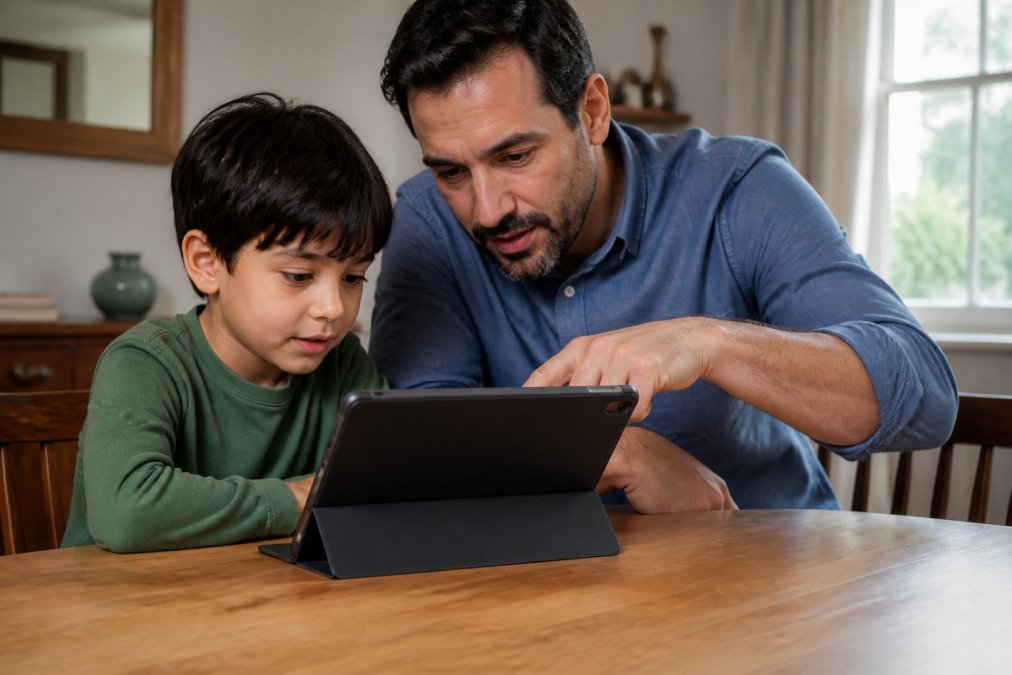
When evaluating a bark alternative for screen time, you're choosing between two approaches: broad device monitoring or targeted content control.
Watchly Player: AI-Powered Content Filtering
Watchly Player analyzes video transcripts against 21 safety themes before your child sees a video, no ads, no comments, no autoplay rabbit holes.
Unlike Bark, Watchly Player prevents inappropriate content from appearing in the first place. Your child sees only videos you've approved or that pass the AI safety filter.
The platform enforces screen time automatically. Set a daily limit and the app stops working when time expires. Bedtime windows lock the app at set hours. Each child gets their own profile with separate libraries and watch limits.
Watchly Player analyzes content but never sells or rents your family's information, a meaningful difference from services that monetize viewing data.
Google Family Link: Free Native Android Control
Best for Android-only households where you want device-level control without paying for additional monitoring software.
Mobicip: Screen Time + Location Tracking
The trade-off: Mobicip is still a monitoring tool, not a curation tool. It tracks what your child does but doesn't prevent them from accessing inappropriate content. 2026 industry analysis on parental control features shows that Mobicip excels at real-time alerts and location safety, but parents looking specifically for YouTube content filtering often choose alternatives.
How to Limit YouTube Screen Time for Kids
The technical setup is straightforward in theory. In practice, most parents hit friction points that generic guides skip entirely, permission conflicts, OS-level settings that override app limits, and device-specific quirks that break enforcement.
Setup Basics: The Standard Path
First, decide: do you want to monitor what your child watches, or control what's available?
For monitoring, some tools provide activity reports and time limits.
For control, Watchly Player limits children to approved content from the start, allowing you to expose the best of YouTube to your kids.
Once chosen, follow this sequence:
- Create a separate child profile
- Set daily watch time limits (30-60 minutes for elementary-age kids)
- Enable bedtime windows
- For Watchly Player, approve videos or let the AI filter decide
Where Setup Breaks: OS-Level Permission Conflicts
Watchly Player works at the app level, avoiding conflicts with native settings, though it controls only YouTube.
Common Troubleshooting: When Limits Stop Working
If your child's screen time limit suddenly stops enforcing:
Watchly Player: If your child accesses YouTube outside the app (browser, YouTube Music, smart TV), use native app-blocking tools to restrict the YouTube app and browsers during off-hours.
The Enforcement Reality
The key is consistency. A bark alternative for screen time only works if you actually enforce the limits you set. Parents who treat these tools as suggestions rather than rules see them fail within weeks. But enforcement also means understanding that no single tool controls all access points. A motivated child can often find YouTube through a browser, a smart TV, a friend's device, or a school computer. The tools above make it harder, not impossible. That's the realistic expectation.
For younger children (under 10), app-level control like Watchly Player works well because they're less likely to troubleshoot around it. For older children (10+), layering multiple controls, device-level limits plus app-level curation, is more effective than relying on any single tool.
Key Differences: Content Monitoring vs. Screen Time Management
Most parents conflate these two approaches, but they're fundamentally different, and which one works depends on your child's age, maturity level, and your family's relationship with screen time.
Monitoring: Reactive Detection
Bark and similar tools are content monitors. They scan what your child is doing and alert you to problems. Your child watches something inappropriate, the system flags it, you intervene.
This approach assumes:
- You have time to review alerts quickly (within hours, ideally)
- Your child is old enough to understand consequences and can learn from them
- Your child is willing to accept that their activity is being reviewed
- You're comfortable with a reactive rather than preventive stance
When monitoring works: Monitoring is effective for children ages 12 and up who have developed enough judgment to understand why certain content is flagged and can internalize that feedback. It also works well if you want to preserve your child's autonomy while maintaining safety guardrails. The child learns self-regulation because they know they're being watched, not because access is blocked.
When monitoring fails: Monitoring breaks down with younger children (under 10) who don't yet have the cognitive framework to understand why content is inappropriate. A 7-year-old flagged for watching conspiracy theory videos doesn't learn "this is bad", they learn "I got caught." The behavior may repeat. Monitoring also fails if you're not available to respond to alerts. If your child watches something at 3 PM and you don't see the alert until 8 PM, the damage is already done and the connection between action and consequence is lost.
Curation: Preventive Control
Watchly Player is content curation. It prevents problems by limiting what's available in the first place. Your child can't access inappropriate content because it's not in their library.
This approach assumes:
- You're willing to pre-approve content or trust an AI filter
- You want automated enforcement rather than constant vigilance
- You're comfortable with a more restrictive stance on what your child can access
- You prioritize prevention over autonomy
When curation works: Curation is highly effective for children under 12 because it removes the burden of decision-making entirely. Your child doesn't have to choose between "watch this interesting video" and "follow the rules." The choice is already made.
The Psychological Difference
Research on behavioral change shows that external enforcement (curation) works better for younger children and for building new habits, while monitoring and consequences work better for older children and for reinforcing existing habits. Developmental psychology research on self-regulation and external controls
The Hybrid Approach
Most effective families use a hybrid approach. Watchly Player handles YouTube curation (prevention), while other tools can handle broader screen time limits and app approval (monitoring). This way:
- Younger children get the benefit of curated content and automated limits
- Older children get some autonomy while still having guardrails
- You get alerts if they try to access restricted apps, giving you a chance to have a conversation
- As your child matures, you can gradually shift from curation to monitoring
The key insight: neither approach is universally better. Curation works well if you want automated enforcement and you're comfortable pre-approving your child's content library. Monitoring works well if you have time to review alerts and your child is mature enough to understand why content was flagged. The best choice depends on your child's age, your available time, and your family's values around autonomy versus safety.
Choosing the Right Tool: Cross-Platform Support and Privacy
The practical question most parents face: will this work on the devices my kid actually uses?
Frequently Asked Questions
Is there anything better than Bark for screen time management?
It depends on your priorities. While some tools excel at content monitoring across texts and social media, many parents find they require significant time to manage alerts. A Bark alternative for screen time like Watchly Player focuses specifically on YouTube safety with AI-powered transcript analysis against 21 safety themes. The best choice depends on whether you prioritize deep content inspection, ease of use, or cost savings.
How can I effectively manage my child's YouTube screen time?
Set daily watch time limits using your chosen parental control tool, establish bedtime windows when viewing is blocked, and use intermission breaks to remind children to take pauses. The best parental control apps for YouTube combine automated enforcement with transparency, let your child know the rules upfront rather than hiding restrictions. Enable parent-approved content only to eliminate algorithmic recommendations that lead to inappropriate material. Test your settings across all devices your child uses: phones, tablets, and smart TVs.
Why is uncontrolled YouTube access considered a threat to child development?
Uncontrolled YouTube exposes children to hundreds of documented risks documented across peer-reviewed research. The platform's recommendation algorithm can push viewers toward increasingly extreme content, creating 'rabbit holes' that expose children to violence, inappropriate sexual content, and psychological manipulation. Without parental oversight, children lack the developmental maturity to distinguish between educational content and harmful material. Hundreds of research papers support the need for curated, safe digital environments during childhood development.
What makes a Bark alternative for screen time different from built-in device controls?
Built-in controls like Apple Screen Time manage device usage and app blocking, but they don't analyze content itself. A Bark alternative focused on YouTube, like Watchly Player, goes deeper by scanning video transcripts and metadata to filter inappropriate content before it reaches your child. This distinction matters: your child might have screen time remaining, but they can only access videos you've approved. Specialized tools also address the algorithmic rabbit hole problem that native device controls cannot solve.
Uncontrolled YouTube exposes children to algorithmic harm that monitoring alone can't prevent. Watchly Player allows you to expose the best of YouTube to your kids by curating content before it reaches their screens, no inappropriate videos, no algorithmic rabbit holes, no ads designed to manipulate attention. Start your free trial today and see how much easier family screen time becomes when prevention replaces reaction.