Last Updated: November 8, 2026
Quick Summary
A family YouTube safety plan is a written set of rules, settings, and responses covering who watches what, which devices are involved, content boundaries, time limits, and what to do after a bad encounter. Build it in seven steps, starting with a short template and a supervised account linked to your Google account.
- A good template covers five areas: viewers, devices and accounts, content boundaries, time limits, and response steps.
- Set up a supervised account through Settings, then Family, then Parent settings, and review it monthly.
- Block bad content in layers: Restricted Mode, blocking channels, weekly history reviews, and a curated player.
- Match rules to three age bands: ages 3 to 6, 7 to 10, and 11 to 12, with autoplay off in every band.
- When a child sees something upsetting, thank them without punishment, block the video, and review watch history.
Table of Contents
- Why Every Family Needs a YouTube Safety Plan
- Start With a YouTube Safety Plan Template for Parents
- YouTube Supervised Account Setup Step by Step
- How to Block Inappropriate YouTube Videos
- Family YouTube Rules and Screen Time Limits That Stick
- Age-Appropriate Guidance for Ages 3 to 12
- What to Do When Your Child Sees Something Upsetting
- Put Your Plan Into Action With Watchly Player
- Frequently Asked Questions
Why Every Family Needs a YouTube Safety Plan
Uncontrolled YouTube is a real threat to your children. Hundreds of research papers document how autoplay algorithms can push kids from harmless clips into disturbing content. Watchly Player was built by parents for parents to help families keep viewing habits in check. A family YouTube safety plan is a written set of rules, settings, and responses that tells everyone in your home what is allowed, what is blocked, and what to do when something goes wrong.
The problem is not that parents don't care. It's that YouTube changes faster than most families can track. A plan gives you a fixed reference point.
Start With a YouTube Safety Plan Template for Parents
A good YouTube safety plan template for parents covers five areas: who watches what, which accounts and devices are involved, what content is off-limits, how much time is allowed, and what happens after a bad encounter. Write it down. A plan in your head is not a plan.
The Five Sections Every Family Plan Needs
- Household members and their ages, list each child and their age range.
- Devices and accounts, note every tablet, phone, and TV that reaches YouTube.
- Content boundaries, what is allowed, restricted, and banned.
- Time limits, daily watch time and bedtime windows.
- Response steps, what to do when a child sees something upsetting.
Keep the template short.
YouTube Supervised Account Setup Step by Step
Supervised accounts are the foundation of any family YouTube safety setup. A supervised account links a child's profile to a parent's Google account, so you control content settings from your own device. Here is how to set one up.
- Open YouTube on your child's device and sign in with their Google account.
- Go to Settings, then Family, then Parent settings.
- Follow the prompts to link your own Google account as the parent.
- Choose a content setting for the child's age range.
- Set up a family group so all profiles stay connected.
- Review the child profile details before you hand the device back.
If you want a fuller walkthrough first, our guide on how to create a child profile on YouTube covers each screen in detail.
What to Review in Account Settings
Check these settings every month:
- Content setting level and age range
- Watch history and search history visibility
- Autoplay and restricted mode
- Screen time and bedtime schedules
- Who can see the child's profile
Small changes here matter more than most parents expect.
How to Block Inappropriate YouTube Videos
Blocking bad content works best in layers, with each layer covering different gaps. Start with the tools YouTube gives you, then add a curation layer on top.
- Turn on Restricted Mode on every device that touches YouTube.
- Block channels and videos from the watch page menu as you find them.
- Review watch history weekly to spot rabbit holes early.
- Use a curated player so only parent-approved videos reach your child.
That last layer is where most families fall short. Settings alone can't stop an algorithm from recommending the next video. For a deeper look at cutting off recommendation chains, read our guide on how to block YouTube rabbit holes.
Family YouTube Rules and Screen Time Limits That Stick
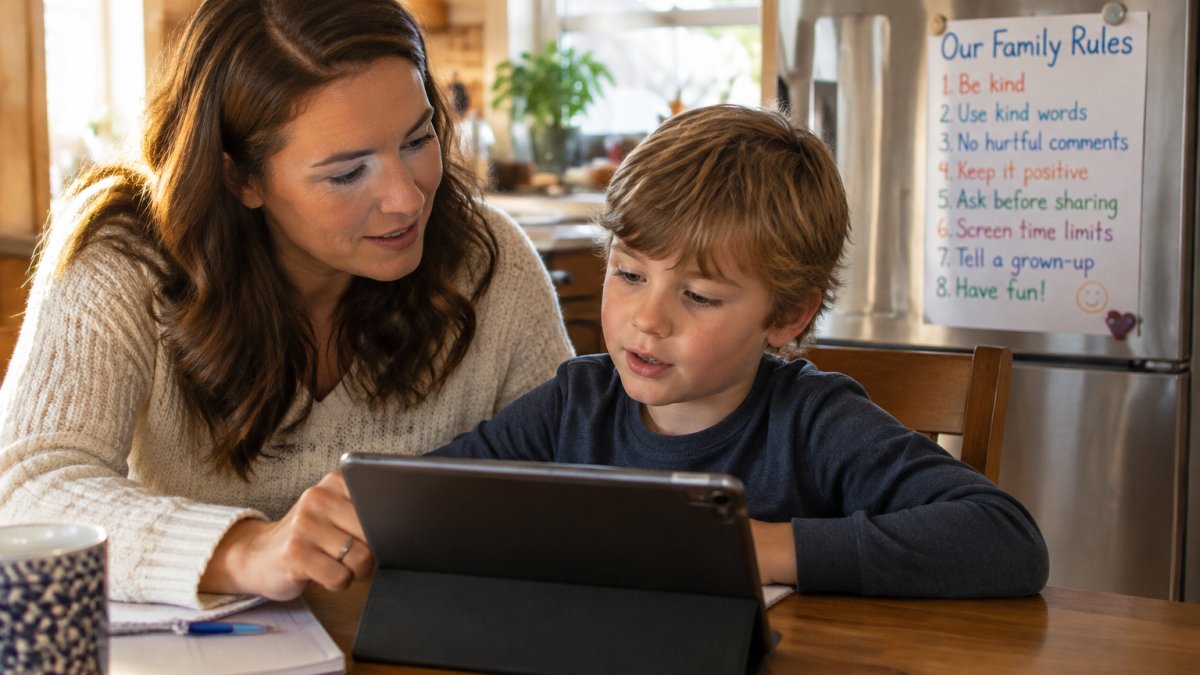
Rules fail when they live only in a parent's head. Write them where everyone can see them, and make them specific. "Be careful online" means nothing to a six-year-old. "No YouTube after 7pm" means something. The stronger move is to turn the rules into a one-page family media agreement that everyone signs, including the adults.
What the family agreement should cover
A usable agreement answers six questions in plain language:
- Where YouTube is allowed (shared rooms only, never bedrooms or bathrooms).
- When it is allowed (daily window, bedtime cutoff, no screens before school).
- What is approved (a short list of channels and topics the family has agreed on).
- Who can interact (comments and livestreams off, or parent-approved only).
- How long each session runs, set before the device turns on rather than negotiated mid-video.
- What to do when something feels unsafe, including the exact words a child can use to tell a parent without getting in trouble.
Keep the agreement to one page and post it where the device lives. A plan nobody can see is a plan nobody follows.
Shared decision-making that survives pushback
Pushback is normal. Kids test limits because that's their job. The fix is to bring them into the conversation instead of handing down a list. Ask what they like about YouTube, then explain what you're protecting them from. Our guide on talking to kids about internet safety rules without a fight has scripts you can borrow word for word.
A common pattern is to let each child propose one approved channel per month, subject to a parent check. That gives the child ownership without handing over the recommendation feed. Review the agreement together at the start of each month and adjust one line at a time so the document stays alive.
The response plan for unsafe content
Rules cover what is allowed; the response plan covers what happens when something slips through. Agree in advance on four steps: the child tells a parent or trusted adult, the parent thanks them without punishment, the channel or video is blocked, and the watch history is reviewed to find how the child got there. Then tighten one setting or switch to a curated library. Practicing the response once, calmly, before anything happens makes it far more likely a child will actually use it.
Watch out: if the first response to a disclosure is anger or device confiscation, children learn to hide what they see, and the plan quietly stops working.
Age-Appropriate Guidance for Ages 3 to 12
A four-year-old and a ten-year-old should not have the same YouTube rules. Age-appropriate guidance means matching content, time, supervision, and privacy rules to the child in front of you. Split your plan into three bands instead.
Young children (ages 3 to 6)
At this age the child cannot reliably report what they saw, so the plan has to assume the parent is the filter. Keep YouTube on a shared screen in a shared room, use the most restrictive content setting available, and disable autoplay so one video does not roll into the next. Watch together in short sessions and narrate what is happening. Privacy rules are simple: no face reveals, no real names, no location mentions, and no comments. If a child taps into something strange, they will usually go quiet rather than tell you, so check watch history yourself rather than waiting for a report.
Tweens (ages 7 to 10)
Tweens can follow rules but cannot yet judge recommendation chains. This is the band where the algorithm does the most damage, because a child who searches for a harmless game clip can be pulled toward prank, scare, or misleading content within a handful of autoplay steps. Set a moderate content level, keep autoplay off, require a parent check before subscribing to a new channel, and review watch history weekly together. Introduce the idea of a trusted adult beyond the parent, such as a grandparent or aunt, so the child has a second person to tell if something felt wrong.
Early teens (ages 11 to 12)
At this edge of the band, negotiation replaces dictation. Broaden the content setting but keep a written agreement about approved channels, comment permissions, and what to do when a recommendation feels off.
| Age band | Content setting | Autoplay | Comments/livestreams | Review cadence |
|---|---|---|---|---|
| 3-6 | Most restrictive | Off | Off | Every session |
| 7-10 | Moderate | Off | Off | Weekly, together |
| 11-12 | Broader with rules | Off by default | Parent-approved only | Monthly, shared |
If you have kids in different bands, tracking separate rules gets messy fast. Our page on tracking different age-appropriate rules for each kid shows how to automate it.
Watch out: a setting that works on one device often does not carry to a smart TV or a shared tablet, so confirm the band rules on every screen the child can reach before you call the plan finished.
What to Do When Your Child Sees Something Upsetting
Stay calm. Your reaction teaches your child more than the video did. Thank them for telling you, then walk through these steps together.
- Ask what they saw, without pressing for detail.
- Reassure them that it wasn't their fault.
- Block the channel or video right away.
- Review watch history to find how they got there.
- Tighten settings or switch to a curated library.
Then rebuild trust with safer sharing. Our guide on safe ways to share YouTube videos with kids covers clean links and curated players that filter unsuitable content before your child ever sees it.
Put Your Plan Into Action With Watchly Player
A written plan is a good start. Enforcement is where most families struggle, because settings alone can't stop autoplay, ads, or comments. Watchly Player closes that gap. Our AI analyzes video transcripts against 21 safety themes, so only parent-approved videos reach your child. There are no ads, no comments, and no recommendation algorithms.
Your plan only works if it runs every day, not just the day you set it up. Watchly Player gives you a parent-approved library, automatic bedtime and watch-time limits, and individual profiles for each child. Get started with Watchly Player and expose your kids to the best of YouTube, not the worst of it.
Frequently Asked Questions
How do I create a supervised YouTube account for my child?
Set up a Google account for your child, then link it to your own through a family group and switch on supervision. From there you choose content settings, turn on restricted mode, and review watch history regularly. Google's own setup screens walk you through each step. Keep the child account password under your control so settings cannot be changed without you. Review the account settings every few weeks, since new options appear and your child's viewing habits shift as they grow.
How much YouTube screen time is appropriate for kids?
There is no single number that fits every child. The practical approach is to set a daily limit you can enforce automatically, keep bedtime windows screen-free, and review the limit as your child gets older. What matters more than the exact minutes is consistency and whether the content is parent-approved. Uncontrolled YouTube is a threat to your children, and hundreds of research papers point to risks around endless autoplay and recommended videos, so a firm limit paired with a curated library does more for your child than a loose timer alone.
What should parents do if a child sees upsetting content on YouTube?
Stay calm and ask what they saw without reacting sharply, so they keep telling you about it. Explain in simple terms why it was not meant for them, then block the channel and report the video. Check the watch history to see how it reached them, since recommended videos are a common path. After that, tighten your family YouTube safety settings and consider moving your child to a parent-approved library so the same gap cannot open again.
How can families agree on YouTube rules together?
Write the rules with your children rather than for them. Ask what they enjoy watching, explain the risks in age-appropriate terms, and agree on daily limits, bedtime cutoffs, and what happens if a rule is broken. Put the finished list somewhere visible. When kids help build the family YouTube rules and screen time limits, they follow them with less negotiation, and you have a shared reference point when a limit is tested.



