Table of Contents
- Why a Secure Digital Environment Matters for Your Children
- How to Manage Child Screen Time Without Daily Battles
- Parental Controls for Children: What Works and What Doesn't
- YouTube Parental Controls: Moving Beyond Basic Filtering
- Screen Time Rules for Kids That Actually Stick
- Teaching Digital Citizenship and Online Safety
- Protecting Your Child's Digital Footprint and Privacy
- Building Your Secure Digital Environment: Action Steps
- Frequently Asked Questions
Last Updated: October 9, 2026
Why a Secure Digital Environment Matters for Your Children
Uncontrolled YouTube is a genuine threat to your children. There are hundreds of research papers documenting how algorithmic rabbit holes, inappropriate content, and autoplay features can expose kids to material completely unsuitable for their age.
This is where a secure digital environment for kids becomes non-negotiable.
The stakes are real. OECD research on safety-by-design for children shows that digital environments require intentional protective architecture.
Building a secure digital environment for kids doesn't mean cutting them off from technology. It means taking control.
How to Manage Child Screen Time Without Daily Battles
The biggest mistake parents make with screen time is treating it as a willpower problem. You set a limit, your child pushes back, you negotiate, and suddenly the rule doesn't exist anymore.
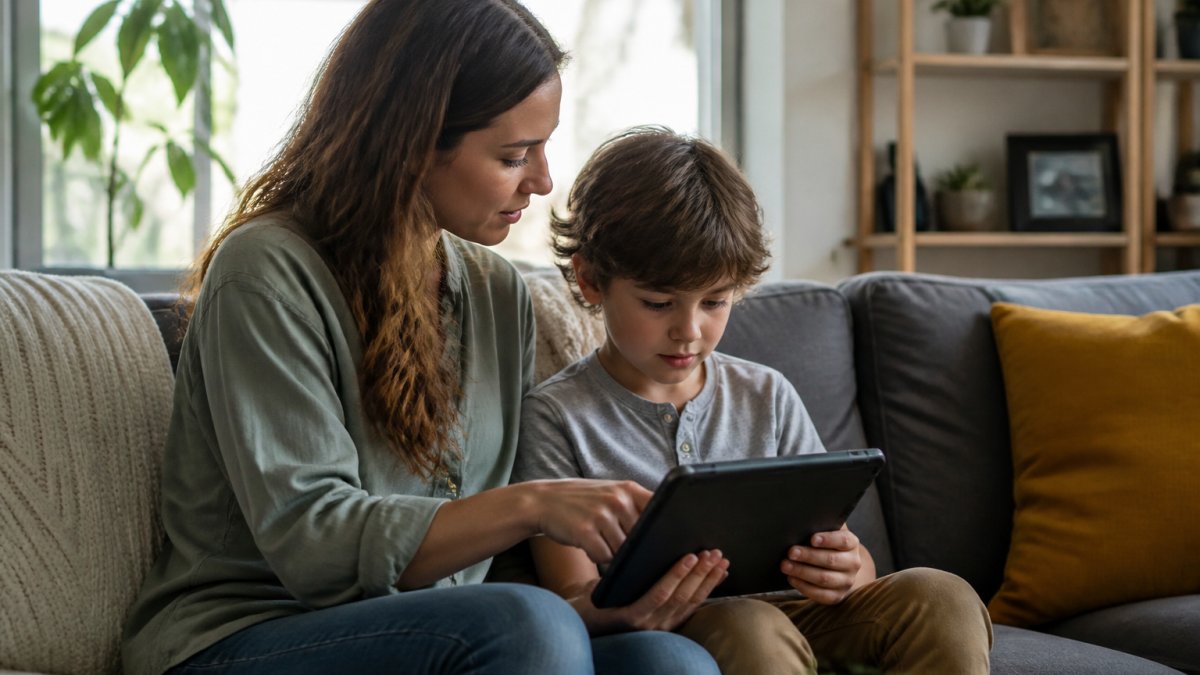
A secure digital environment for kids requires automation. When rules are enforced by technology rather than conversation, the daily battle disappears. Your child can't negotiate with a system.
Setting realistic daily limits
Start by defining what realistic means for your family. Your situation may differ. The key is choosing a number you can actually enforce consistently.
Once you've set a limit, use technology to enforce it automatically. Watchly Player, for example, enforces daily watch time limits without requiring you to monitor the clock.
The psychological benefit here matters as much as the practical one.
Enforcing bedtime windows automatically
Bedtime screen time is where most families lose control.
Automated bedtime windows solve this completely. Set a time, say, 8 PM, and the device becomes unavailable until morning.
This isn't punitive. It's protective. Sleep deprivation from late-night screen use affects mood, academic performance, and health. Automatic enforcement protects your child from their own impulses.
Parental Controls for Children: What Works and What Doesn't
Not all parental controls are created equal. Built-in device controls, the ones that come with your phone, tablet, or TV, offer basic filtering. They're free, they're integrated, and they're almost always insufficient.
Here's what built-in controls typically do well: they can block app categories and set screen time limits.
Built-in device controls vs. dedicated parental control platforms
Built-in controls work for young children with limited device skills.
Dedicated parental control platforms go deeper. They can monitor actual content being consumed, flag concerning material in real time, and prevent access to specific videos rather than just categories.
The tradeoff: dedicated platforms require setup, ongoing management, and typically cost money.
Real-time monitoring and remote access
Monitoring matters, but it matters differently than most parents think. You don't need to know every video your child watches, that level of surveillance damages trust.
Real-time monitoring also means you can respond quickly if something goes wrong. If your child encounters inappropriate content or a concerning interaction, you know about it immediately rather than discovering it weeks later.
YouTube Parental Controls: Moving Beyond Basic Filtering
YouTube's built-in parental controls are a starting point, nothing more. YouTube Kids exists, but it's still YouTube, the algorithm still recommends, still autoplay runs, and the content library is enormous.
Why standard YouTube restrictions fall short
YouTube's Restricted Mode filters some content, but it's blunt. It blocks categories rather than analyzing actual video content.
More critically: Restricted Mode doesn't stop algorithmic rabbit holes. Your child watches one video and the algorithm serves five related videos, each slightly more extreme than the last.
The research is clear on this. UNICEF guidance on AI in children's digital experiences emphasizes that recommendation algorithms shape children's digital interactions in ways parents can't fully control through traditional filtering.
AI-powered transcript analysis for content safety
This is where modern parental controls diverge from older approaches.
A video about historical events might mention violence. AI transcript analysis can differentiate between educational content and harmful content by understanding context, not just keywords.
This technology doesn't catch everything, no system does, but it catches far more than standard filtering.
Screen Time Rules for Kids That Actually Stick
Rules fail when enforcement depends on you. Rules stick when they're built into the system your child uses every day.
Creating a family media plan
Start with a written plan. Not a lecture, not a conversation, an actual document that outlines when screens are allowed, what content is appropriate, and what happens when rules are broken. Have your child sign it if they're old enough. That ritual matters psychologically.
Your plan should cover:
- Daily screen time limits by day of week
- Device-free times (meals, bedtime, homework)
- Content guidelines specific to your values
Using technology to enforce rules automatically
Once you've defined your rules, use Watchly Player or similar tools to enforce them automatically.
This is the secret to rules that stick. Technology removes the daily negotiation. Your child knows the limits are non-negotiable because they're enforced by the system, not by a parent's mood or judgment call.
Teaching Digital Citizenship and Online Safety
Rules and limits are necessary but insufficient. Your child also needs to understand why these boundaries exist and how to navigate digital spaces safely when they have more freedom.
Open conversations about online risks
Research from 2026 shows that education is more effective than restriction for online safety according to parent surveys. 49% of parents believe teaching children about safety works better than banning access entirely.
This means talking to your child about real risks: online predators, phishing, inappropriate content, cyberbullying. Not in a fear-based way, but in a practical way. Explain how algorithms work.
These conversations are harder than setting screen time limits, but they're more important long-term.
Identifying online predators and inappropriate content
Teach your child concrete warning signs: adults asking personal questions, requests to keep conversations secret, attempts to move conversations to private platforms, or pressure to share photos.
Inappropriate content is easier to define for younger children (violence, sexual material, hate speech) and harder for older ones (where context matters).
Protecting Your Child's Digital Footprint and Privacy
Every video watched, every search performed, every interaction online leaves a trace. That data has value to platforms and advertisers. Protecting your child's digital footprint means limiting what data is collected in the first place.
Data privacy and avoiding data brokers
Watchly Player distinguishes itself by not selling or renting children's data. That's not standard in the industry. Most platforms monetize user data.
When you choose tools for your child's digital environment, data practices matter as much as features. Ask explicitly: does this platform sell my child's data?
Managing personal identifiable information
Teach your child not to share personal information online: real name, address, school, phone number, or anything that could identify them offline. This includes in comments, in video descriptions, or in interactions with other users.
For younger children, you should manage this entirely. For older children, discuss why it matters and check periodically that they're following the rules.
Building Your Secure Digital Environment: Action Steps
Creating a secure digital environment for kids requires intention, but it's not complicated. Follow these steps in order.
Step 1: Assess your current setup
List every device your child uses: phone, tablet, TV, laptop, gaming console. Check what parental controls are currently enabled on each.
Document what your child currently watches and how much time they spend. This baseline matters. You need to know what you're working with before you make changes.
Step 2: Choose tools that match your family's needs
Decide what matters most to you: screen time limits, content filtering, real-time monitoring, privacy protection, or a combination.
Watchly Player specializes in YouTube safety specifically. It analyzes transcripts against 21 safety themes, enforces screen time automatically, and protects user data.
For broader device management (apps, websites, gaming), you may need additional tools.
Step 3: Set up rules and monitor consistently
Configure your chosen tools with the limits and guidelines you've defined. Set daily watch time limits. Configure bedtime windows. Define which content is appropriate.
Then check in regularly, monthly, not daily. Has anything changed? Are the rules still working? Is your child finding workarounds?
Building a secure digital environment for kids requires acknowledging a hard truth: YouTube and similar platforms weren't designed with your child's wellbeing as the priority.
Frequently Asked Questions
What makes a truly secure digital environment for kids different from standard parental controls?
A secure digital environment combines multiple layers: automated screen time enforcement, AI-powered content analysis, elimination of ads and algorithms, and parent-approved content libraries. Standard parental controls often rely on age ratings alone, which miss context-specific risks. Research from the 4Cs Risk Framework (Jang et al., 2023) identifies contact, conduct, content, and contract risks, a comprehensive approach addresses all four. Uncontrolled YouTube exposes children to hundreds of documented threats; a truly secure environment uses transcript analysis against 21 safety themes to ensure every video aligns with your family's values.
How much screen time is actually safe for children, and how do I enforce it?
Screen time recommendations vary by age, and consistent limits that don't interfere with sleep, exercise, and other healthy behaviors are often suggested. Enforcement requires automation, manual negotiation fails most families. Many parents feel comfortable discussing online risks, but only when they have tools to back up boundaries. Automated bedtime windows and daily limits prevent sneaking devices after you've said no. Individual profiles for each child ensure age-appropriate limits across all their devices.
My child watches educational content from smaller creators. Will parental controls block legitimate learning videos?
Context matters. Generic age-rating filters often flag educational content incorrectly because they don't understand nuance. AI-powered transcript analysis evaluates actual content against specific safety themes rather than blocking by creator size or subscriber count. Digital technologies can facilitate online-safety education when they preserve access to beneficial content. The best systems analyze what's actually said and shown, not just metadata. Parent-approval workflows let you whitelist valuable educational channels, ensuring your child accesses learning resources while staying protected.
How do I know the AI is actually catching inappropriate content, and what happens if something slips through?
Transparency matters. Quality AI-powered systems analyze video transcripts against defined safety themes and show you the reasoning behind each decision. You should always have the ability to review flagged content and manually approve or reject it. According to OECD research on safety-by-design (2024), effective systems include parental oversight mechanisms. No filter is 100% perfect, but transcript analysis catches context-based risks that simple keyword filters miss. The best platforms provide parent dashboards showing what your child watched, what was flagged, and why, giving you visibility and control over edge cases.
What's the difference between parental controls built into YouTube Premium and a dedicated platform?
YouTube's built-in Restricted Mode uses age ratings and keyword filtering, but it doesn't eliminate ads, comments, or algorithmic recommendations, the core drivers of inappropriate exposure. Restricted Mode also can't enforce screen time or bedtime windows. A dedicated secure platform removes ads entirely, blocks comments, prevents autoplay rabbit holes, and uses AI to analyze actual content rather than relying on creator-supplied ratings. According to research on digital safety by design (OECD, 2024), comprehensive solutions address multiple risk vectors simultaneously. YouTube Premium handles video quality; a secure digital environment handles safety, screen time, and algorithmic protection.
How do I talk to my child about online risks without creating fear or shame?
Open communication works best when paired with tools that reduce anxiety. Many parents find education more effective than banning. Start with age-appropriate conversations: younger children need simple rules ("some videos aren't for you yet"), while older kids benefit from understanding why ("algorithms can lead you down paths that aren't healthy"). Frame safety tools as helpers, not punishments. When your child understands you're protecting them from uncontrolled algorithmic exposure, not from learning or creativity, they're more likely to cooperate. Regular check-ins about what they're watching build trust.
Can parental controls work across multiple devices, phones, tablets, and smart TVs?
The best systems do, but not all. Device-level controls (like built-in parental controls on Android or Apple devices) apply only to that single device. Cross-device solutions use account-based management so screen time and content rules sync everywhere your child watches. This matters because children naturally move between devices, your living room TV, their tablet, a friend's phone. A unified platform ensures consistent protection and screen time tracking across all access points. Check whether your chosen solution covers YouTube on all major platforms: web browsers, YouTube apps, smart TVs, and gaming consoles.
What should I do if my child accidentally sees inappropriate content online?
Stay calm and respond with curiosity, not punishment. Ask what they saw, what they understood, and whether they have questions. Children often don't process inappropriate content the way adults do. According to the 4Cs Risk Framework (Jang et al., 2023), "conduct" risks include how children respond to content, your reaction shapes their behavior more than the exposure itself. Use it as a teaching moment: explain why that content isn't for them and how your safety tools work to prevent future exposure. Document what happened so you can adjust filters if needed. If the content involved exploitation or abuse, report it to the National Center for Missing & Exploited Children (NCMEC) or your local authorities.