Table of Contents
- YouTube Kids vs Standard YouTube: Key Differences
- YouTube Kids Parental Controls: What You Can Actually Do
- How to Set Up YouTube Kids for a Child: Step-by-Step
- YouTube Kids Age Settings: Preschool to Older
- Why Uncontrolled YouTube Remains a Threat to Children
- Safe YouTube Alternatives for Children Beyond YouTube Kids
- Making the Right Choice for Your Family
- Frequently Asked Questions
Last Updated: October 10, 2026
YouTube Kids vs Standard YouTube: Key Differences
YouTube Kids and standard YouTube serve fundamentally different purposes for families. YouTube Kids is a child-focused platform designed with parental controls built in, while standard YouTube is an open community where anyone can upload content. Understanding these differences helps you choose what's right for your family.
In 2026, 58.3% of children in the United States watched YouTube videos, according to Statista's U.S. kids YouTube and TV viewership data. Yet most parents remain unaware of how dramatically these two platforms differ. The core distinction isn't just filtering, it's the entire architecture underneath.
Standard YouTube uses algorithmic recommendations designed to maximize watch time, pulling children into rabbit holes of increasingly extreme content through autoplay. YouTube Kids limits recommendations to a curated library with no autoplay chains and no algorithm chasing engagement at the expense of safety.
Content filtering and safety features
YouTube Kids restricts content to family-friendly videos using human review and automated systems, though some user-generated content still slips through.
Standard YouTube has no content filtering for children and relies on device-level parental controls that children can bypass. The recommendation engine actively promotes content based on watch history, not safety.
Advertising and algorithm exposure
YouTube Kids shows limited, child-appropriate ads. Standard YouTube exposes children to the full range of adult-targeted advertising.
Standard YouTube's algorithm creates a feedback loop where one questionable video leads to increasingly inappropriate suggestions. YouTube Kids doesn't use personalized recommendations.
YouTube Kids Parental Controls: What You Can Actually Do
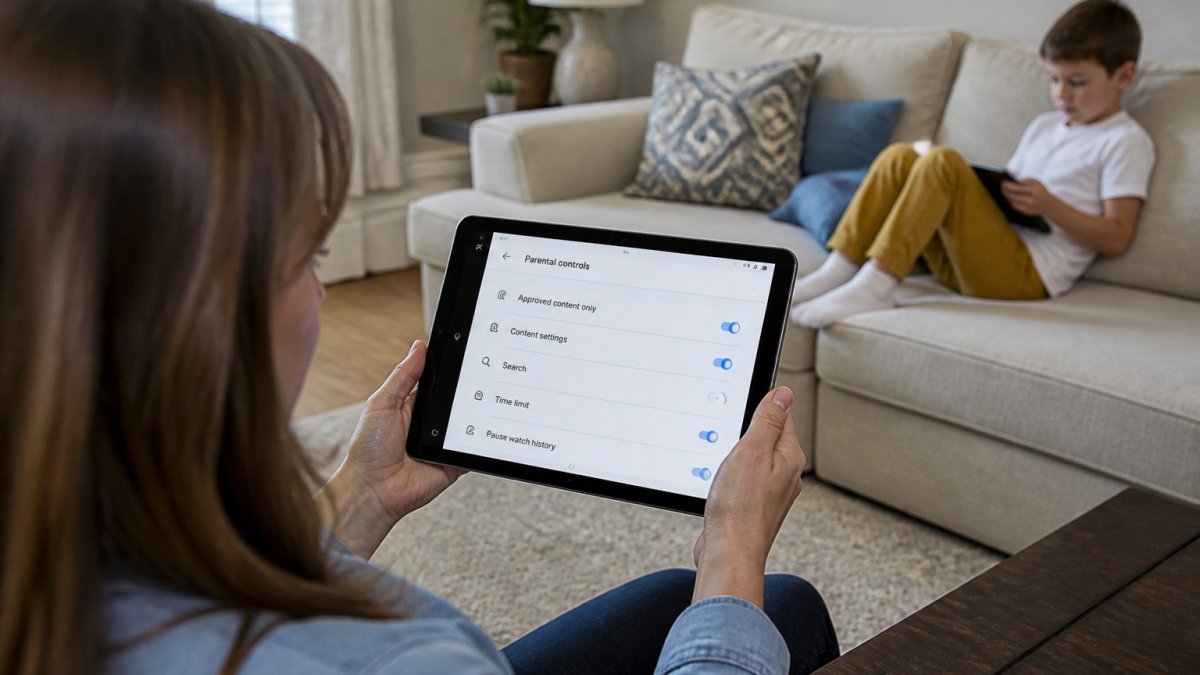
YouTube Kids offers screen time limits, bedtime enforcement, and the ability to approve or block channels and videos, hard restrictions, not suggestions.
Screen time limits lock the app after a set duration with no negotiation possible. Bedtime windows prevent access during specified hours. Individual profiles let you set different rules for each child.
Screen time limits and bedtime enforcement
Daily watch limits cap viewing time and close the app automatically, no countdown warnings to ignore.
Bedtime windows make the app inaccessible during specified hours, eliminating negotiation about sneaking devices after lights out.
Channel and video approval workflows
Manual approval of channels and videos takes time but gives you absolute certainty about what your child accesses.
Most parents use a hybrid approach: manually approve favorite creators and rely on age settings for the rest.
How to Set Up YouTube Kids for a Child: Step-by-Step
Setup takes roughly 10 minutes, but thoughtful decisions remove most algorithmic risks while a rushed setup leaves gaps.
Creating a child account and linking devices
Download the YouTube Kids app, create a parent account if needed, then create a child profile.
Select an age range: Preschool (4 and under), Younger (5-8), or Older (9-12). This determines the content library and search results. Start conservative, you can expand later after reviewing what's available.
Link the device to your parent account to manage settings remotely and prevent your child from changing them.
Initial content and safety configuration
Search toggle. Disable search for children under 6 (safer, more limiting). Enable search with age-appropriate filters for older children to balance independence with safety.
Approved channels and creators. Spend 15-20 minutes manually approving 5-10 trusted channels before your child watches. This creates a baseline of known-safe content and prevents recommendations outside your approved list.
Screen time limits and bedtime. Set daily limits (most parents choose 30-60 minutes for young children) and bedtime windows. These hard restrictions are more effective than device-level controls children can negotiate around.
What to monitor after setup
After setup, check watch history weekly for:
- Unexpected creators or channels you didn't approve
- Repeated viewing of videos that seem odd on review
- Search queries revealing interests or attempts to find unapproved content
YouTube Kids provides a parent dashboard showing watch history, search queries, and app usage. Review it at least weekly. This ongoing attention is what separates effective supervision from false security.
YouTube Kids Age Settings: Preschool to Older
YouTube Kids offers three age-based content settings, each with a different library and recommendation approach. These aren't just labels, they filter the entire available content pool and determine what your child can search for. However, each setting has documented limitations, and understanding those gaps is essential to choosing the right approach for your family.
Preschool setting (ages 4 and under)
The Preschool setting is the most restrictive. It limits content to videos explicitly designed for very young children: nursery rhymes, alphabet learning, basic animation, and simple educational content from established creators like Sesame Street and Daniel Tiger's Neighborhood.
This setting removes search entirely. Your child can only browse the pre-curated library. It's the safest option because it eliminates the risk of accidental discovery of inappropriate content.
Limitations: The Preschool library is smaller and can feel repetitive if your child watches frequently. Some educational content parents want (e.g., nature documentaries, simple science videos) may not be included. If your child outgrows the library quickly, you'll need to move to the Younger setting, which is a significant jump in content diversity.
Younger setting (ages 5-8)
The Younger setting expands the library to include educational content, simple entertainment, age-appropriate music, and user-generated content from creators who target this age group. Search is available, but results are filtered to the Younger library only.
This setting works well for early elementary school children. It balances safety with enough variety to keep children engaged without feeling overly restricted.
Limitations: The Younger setting is where user-generated content becomes more prevalent, and YouTube's automated filtering becomes less reliable. Some videos slip through that are borderline, not explicitly inappropriate, but with odd humor, mild scares, or content that feels off. Parents using the Younger setting should review watch history weekly and be prepared to block individual videos.
Older setting (ages 9-12)
The Older setting includes diverse content: educational videos, music, age-appropriate entertainment, documentaries, and significant user-generated content. Search expands substantially, giving children more independence to find content.
This setting trusts children with more autonomy while still filtering out adult content and extreme material. It works well for children who have demonstrated media literacy and can handle a wider range of content.
Limitations: This is where YouTube Kids' curation gaps become most apparent. The Older setting includes content that is technically age-appropriate but may not align with your family's values, conspiracy theories, sensationalized content, or material designed to provoke strong emotions. YouTube's automated systems can't distinguish between educational and manipulative content.
Choosing between age-based filtering and manual approval
Most parents use a hybrid approach: start with an age-based setting and manually approve or block specific channels and videos as you discover them. However, the right balance depends on your child's age and your available time:
- Ages 4-6: Use Preschool or Younger with search disabled. Manually approve all channels before your child watches. This requires 20-30 minutes upfront but provides near-total control.
- Ages 7-9: Use Younger with search enabled, but manually approve channels for the first month. After you've built a library of trusted creators, you can rely more on age-based filtering while still reviewing watch history weekly.
- Ages 10-12: Use Older with search enabled, but establish a rule that your child can only watch from pre-approved channels unless they ask permission first. This gives them autonomy while keeping you in the approval loop.
No age setting is perfect. YouTube Kids' curation is better than standard YouTube's algorithm, but it is not a guarantee. Uncontrolled YouTube remains a documented threat to children, there are hundreds of research papers showing how algorithmic recommendation systems can lead young viewers toward extreme content, conspiracy theories, and manipulative material. YouTube Kids eliminates algorithmic autoplay chains, but it does not eliminate all risk. Your ongoing attention to watch history and willingness to block content is what makes the system work.
Why Uncontrolled YouTube Remains a Threat to Children
Standard YouTube presents risks that go beyond simple content filtering. The platform is designed to maximize engagement, which means the algorithm actively works against parental interests.
Uncontrolled YouTube is a genuine threat to children. There are hundreds of research papers documenting the harms of algorithmic recommendation systems on young viewers. These systems can lead children toward extreme content, conspiracy theories, and material designed to manipulate emotions.
The autoplay feature is particularly problematic. One video ends, and the algorithm queues the next one automatically. A child watching innocent content can be guided toward increasingly inappropriate material without ever searching for it.
YouTube Kids eliminates algorithmic recommendations and autoplay chains. This single difference removes the mechanism that makes standard YouTube dangerous.
Safe YouTube Alternatives for Children Beyond YouTube Kids
Several platforms offer parent-controlled video experiences beyond YouTube Kids. Each takes a different approach to safety and content curation.
AI-powered parent-approved platforms
Some newer platforms use AI to analyze video content against safety criteria. Watchly Player analyzes video transcripts against 21 safety themes to ensure children only access parent-approved content. This approach combines algorithmic analysis with parental control, eliminating ads, comments, and recommendation algorithms entirely.
These AI-powered solutions let parents curate a personal library of YouTube videos without exposing children to the platform's algorithmic risks. You maintain control over every video your child sees while accessing YouTube's vast educational content library.
Comparison with other controlled viewing solutions
| Platform | Content Source | Parental Approval | Ads | Recommendations |
|---|---|---|---|---|
| YouTube Kids | YouTube library (filtered) | Age-based settings | Yes | Algorithm-limited |
| Watchly Player | Parent-curated YouTube | Manual approval | None | None |
| Standard YouTube | All YouTube content | Device-level only | Yes | Full algorithm |
The key difference is control. YouTube Kids offers convenience with moderate safety. Watchly Player offers maximum safety through parental curation. Standard YouTube offers maximum content access with minimum safety.
Making the Right Choice for Your Family
Your choice depends on your child's age, your comfort with technology, and how much control you want.
For children under 8, YouTube Kids is the practical choice. It's designed for this age group, the content library is genuinely appropriate, and setup takes minutes.
For children 8 and older, YouTube Kids works but starts to feel restrictive. This is where AI-powered parent-approval platforms like Watchly Player become valuable.
For any child prone to extended screen time, automated enforcement matters. YouTube Kids' screen time limits and bedtime windows work because they're not negotiable. Standard YouTube's parental controls rely on your child's compliance, which rarely works long-term.
Protecting children from inappropriate YouTube content requires more than hoping they'll make good choices. Standard YouTube's algorithm actively works against your goals. YouTube Kids removes the algorithm but still includes ads and user-generated content.
Frequently Asked Questions
What is the main difference between YouTube Kids and standard YouTube?
YouTube Kids provides age-structured content settings (preschool, younger, older) and removes ads, comments, and recommendation algorithms that can lead to inappropriate videos. Standard YouTube exposes children to unfiltered content, algorithmic rabbit holes, and mature material. YouTube Kids is designed specifically for young children, while standard YouTube requires active parental supervision and built-in restrictions to be safe for kids.
Can YouTube Kids parental controls prevent all inappropriate content?
YouTube Kids filters content using automated systems and human review, but no system catches everything. User-generated videos can slip through, and context matters, a video about safety might show dangerous scenarios. Parents should monitor what their child watches, use the strictest age setting appropriate for their child's maturity level, and combine YouTube Kids with additional safeguards like AI-powered transcript analysis that checks videos against safety themes before playback.
How do I set up YouTube Kids age settings for my child?
Create a child account in YouTube Kids, then select an age setting: Preschool (ages 4 and under), Younger (ages 5-8), or Older (ages 9-12). Each setting restricts content to developmentally appropriate videos. You can also manually approve or block specific channels and videos. After setup, monitor your child's viewing regularly and adjust settings as needed based on their interests and maturity.
Why is uncontrolled YouTube considered unsafe for children?
Uncontrolled YouTube exposes children to inappropriate content, violent material, and recommendation algorithms designed to maximize watch time, not child safety. Hundreds of research papers document how algorithmic rabbit holes can lead from innocent videos to disturbing content. Standard YouTube's comment sections and ads also pose risks. Parents need either YouTube Kids' built-in protections or advanced alternatives like AI-powered platforms that analyze video transcripts against safety themes to ensure only parent-approved content plays.