

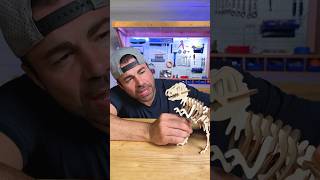
This short promotional clip is essentially safe for all ages, though it functions primarily as an advertisement for a website rather than educational content. It features a well-known YouTuber promoting a free service to send photos to space via a self-built satellite, which is a genuinely cool concept — but the video is more of a call-to-action than a learning experience. Parents should know upfront that the main goal is to drive kids to visit spaces.com.
What Parents Need to Know
This is a very short video (under a minute) that promotes a free service allowing anyone to upload a photo to be displayed on a satellite in space. There is no inappropriate content whatsoever — no bad language, violence, or mature themes. On the positive side, the space angle could genuinely spark curiosity about satellites, orbital mechanics, and space technology in young viewers. The main thing parents should be aware of is that it is essentially a promotional clip encouraging kids to visit an external website, so you may want to visit spaces.com together with your child before they upload any personal photos. Uploading images to third-party websites always warrants a quick parental check, especially for younger children.

More from Mark Rober
See all →


What Watchly checks every video for
Every video is checked against Watchly's 21 content patterns. Here are a few of them.
Real-world violence, threats, and weapons — told apart from playful gameplay combat.
Learn more →Profanity, slurs, and censored variants — the bleeped versions still register with kids.
Learn more →Drugs, alcohol, vaping by brand, plus sports betting and online casino apps.
Learn more →Pack openings, gacha pulls, and case openings — variable rewards for real money.
Learn more →Tide Pod, blackout, and slap challenges — plus Devious-Lick-style vandalism trends.
Learn more →Undisclosed sponsorships, MLM pitches, "guru" courses, and fake giveaways.
Learn more →How Watchly keeps YouTube safe
The tools that turn these checks into a safe viewing experience for your child.
How Watchly reads each transcript and checks it against these exact safety patterns.
Learn more →Time limits, schedules, and per-child rules you set once and forget.
Learn more →Build a hand-picked library your child can browse without surprises.
Learn more →Full-screen playback with no ads, comments, or recommended rabbit holes.
Learn more →Netflix-style profiles, each locked behind a parent PIN.
Learn more →See exactly what your child watched, when, and for how long.
Learn more →