Last Updated: October 28, 2026
Quick Summary
Explain data tracking to young children as clue collecting: write down simple things like carrots eaten or minutes played, then look for patterns together. Call it clues instead of data, use everyday examples like growth charts and game scores, and build a family chart your child helps design.
- Skip the word data at first and call it clue collecting instead.
- Growth charts, star charts, weather calendars and game scores are tracking kids already know.
- Three minutes of sorting and counting daily beats one long weekend session.
- Teach the rule some things stay in the family for personal information.
- Keep a family tracker to three or four metrics and review it every Sunday.
Table of Contents
- Start With What Is Data for Kids: The 'Clue Collection' Analogy
- Data Tracking Examples for Kids They Already Know
- Play-Based Observation: Turning Daily Routines into Data Collection
- How to Teach Kids About Personal Information Online
- Online Safety Conversation Scripts for Parents
- Why Uncontrolled YouTube Is a Threat and How to Explain the Algorithm
- Set Up a Family Data Tracker Together
- Frequently Asked Questions
Start With What Is Data for Kids: The 'Clue Collection' Analogy
Data for kids is simply clues you collect and count. When you explain data tracking to young children, skip the word "data" at first.
Think about how a detective works. They pick up fingerprints, footprints, and small details. Then they piece the clues together to solve a case.
Kids already do this. They just don't know it yet.
Here's the simple script we recommend:
"Every day you collect clues. How many carrots you ate. How many times you laughed. How long you played outside. When we write those clues down, we can spot patterns. Patterns help us make smart choices."
Data tracking is the habit of collecting clues over time so you can spot patterns and make better choices. Say it that way, and a five-year-old gets it.
Try a two-minute exercise tonight:
- Ask your child to name three things they did today
- Write each one on a sticky note
- Stick them on the fridge in a row
Congratulations. You just built a data set together.
Data Tracking Examples for Kids They Already Know
Children swim in data tracking examples long before anyone labels them that way. Point this out, and the concept clicks fast.
Here are everyday examples to name out loud:
- Growth charts at the doctor. The nurse measures height and marks it on a chart. That mark is a data point.
- Star charts and reward boards. Each star is a record of something that happened.
- Weather calendars at school. Sunny, cloudy, rainy, counted day by day.
Ask your child which of these they already notice, most will light up at the video game example. A child who sees they already track their game scores will accept a family tracker far more easily.
Play-Based Observation: Turning Daily Routines into Data Collection
Play-based observation means watching what a child naturally does during play and recording it. It is one of the easiest ways to teach data tracking without a single worksheet.
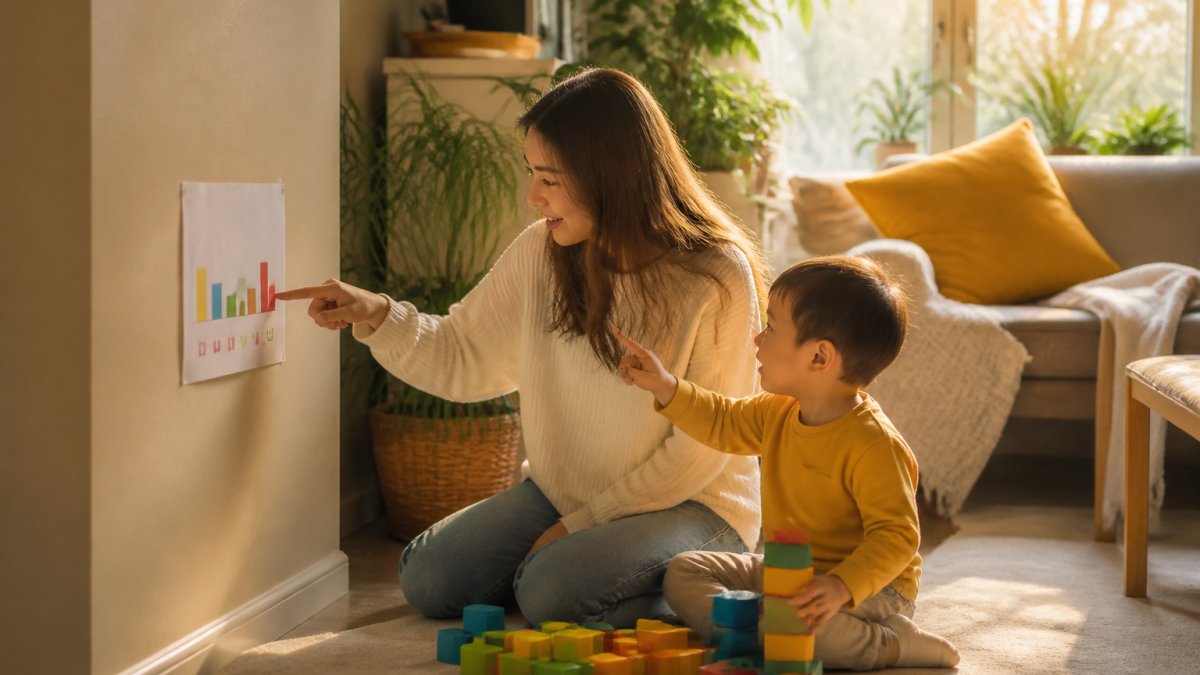
Set up a simple sorting and counting game:
- Dump a pile of blocks, buttons, or toy cars on the floor.
- Ask your child to sort them by color or size.
- Count each pile together out loud.
- Draw the results as simple dots or tally marks on paper.
That drawing is a visual representation, and it teaches simple graphing without the jargon. Keep it playful, if your child loses interest, stop and try again tomorrow.
How to Teach Kids About Personal Information Online
Personal information is any detail that identifies your child or your family, a full name, address, school name, photo, or phone number. The deeper lesson most guides skip is that personal information is also data, and data leaves a trail. Start with a rule kids can repeat: "Some things stay in the family." Clues about where you live or what school you attend can be used by strangers, that is the whole lesson, stated plainly.
The digital footprint, in kid language
A digital footprint is the trail of clues you leave behind every time you use a device. Explain it with a physical analogy your child already understands:
"When you walk through snow, you leave footprints. Someone can look at the footprints and know where you went. When you use a tablet or a game, you leave digital footprints, clicks, searches, videos you watched. Those footprints can be seen by companies, not just by us."
That analogy turns an invisible process into something a five-year-old can picture.
What tracking actually looks like for a child
Children don't need the mechanics of cookies or ad IDs. They need to recognize the moments when tracking happens. Point these out in daily life:
- A game asks for a name or birthday before you can play. That is a company collecting a data point about your child.
- A video app suggests the same type of video over and over. That is the app tracking what your child clicks and feeding it back.
- A website shows an ad for something you talked about. That is tracking across sites, and it is worth naming out loud so your child learns to notice it.
Ask your child to spot one of these moments each week and report back, a game of "spot the tracker" builds the habit of noticing without fear.
Age-appropriate scripts
The same concept needs different words at different ages. Use these as starting points:
- Ages 3-5: "We don't tell strangers our address. Some things stay in the family."
- Ages 6-8: "Some websites ask for information. We check with a grown-up first. If a game wants your name, come get me."
- Ages 9-12: "Companies collect data about what you click. That's called tracking. You can say no, and you can ask me to check the settings with you."
Role-play it: ask what they would do if a game asked for their school name, and practice the answer together. The goal is not fear, it is a noticing, questioning user.
Why this matters more than ever
Uncontrolled YouTube is a real threat to young children, and there are hundreds of research papers about it that could be referenced. Teaching kids that their clicks are data is the first step toward teaching them that their attention has value. For a deeper, practical walkthrough of keeping digital-native kids safe, our guide on how parents can help digital natives stay safe online covers the wider picture.
Online Safety Conversation Scripts for Parents
Conversation scripts are short, ready-made sentences parents can use when talking about online safety, having the words ready makes these talks far less awkward. Adjust the wording to fit your family:
Opening: "I want to show you something about how videos get picked for you. Can I have five minutes?"
The algorithm talk: "The app watches what you click, then gives you more of the same.
The data talk: "When you use an app, it collects clues about you. Some apps sell those clues.
The check-in: "If anything you watch feels weird or scary, tell me. You will never be in trouble."
Keep sessions short, one topic per talk beats a long lecture.
Why Uncontrolled YouTube Is a Threat and How to Explain the Algorithm
Uncontrolled YouTube is a real threat to young children. Open watching means no filter between your child and whatever the recommendation engine serves next, and there are hundreds of research papers documenting the risks of unsupervised screen time and algorithmic content feeds.
Here is how to explain the algorithm to a child:
"YouTube is like a machine that guesses what you want next. It guesses from what you already watched. It doesn't know if a video is good for you. It only knows if you clicked."
That framing gives kids real analytical thinking practice: they learn to ask, "Did I choose this, or did the machine choose it for me?" For the deeper mechanics, our article on why the YouTube algorithm targets kids explains what is happening under the hood. You can also learn how to reset the YouTube algorithm for your child, clearing watch history and pausing recommendations, though it re-learns fast from the next click, so a reset alone rarely holds.
Watchly Player provides a parent-approved video library. It analyzes video transcripts against 21 safety themes, with no ads, comments, or autoplay. Watchly Player allows you to expose your kids to the best of YouTube.
Set Up a Family Data Tracker Together
A family data tracker is a shared chart where you and your child record a few simple metrics each day. Building it together makes data tracking feel like a family project, not a rule imposed from above, a shared tool your child helps design and read, not surveillance.
Keep it to three or four meaningful metrics:
| What We Track | How We Record It | How Often |
|---|---|---|
| Minutes watched | Tally marks | Daily |
| Books read | Sticker per book | Daily |
| Outdoor play time | Colored dot | Daily |
| Bedtime met | Check mark | Daily |
Follow these steps:
- Pick your metrics as a family. Let your child choose at least one.
- Draw the chart together on paper or a whiteboard.
- Record entries at the same time each evening.
- Review the week every Sunday and talk about patterns.
Adapt the tracker to your child's age
The same chart works differently at different ages. Adjust the format, not the concept:
- Ages 3-5: Use stickers and colors only. No numbers on the page. Ask, "Which pile is bigger?" The child is learning comparison, not arithmetic.
- Ages 6-8: Add tally marks and let your child do the counting. Ask, "How many more today than yesterday?" This builds the link between a mark and a number.
- Ages 9-12: Introduce a simple bar chart or a spreadsheet. Let your child enter the data and generate the chart. Ask, "What does the chart tell us that the numbers alone don't?" This is where data literacy becomes real.
The weekly review script
The review is the payoff: when your child sees that Tuesday viewing ran long and bedtime slipped, the pattern does the arguing for you. Keep it calm and curious with a short script:
"Let's look at the week together. What do you notice? Which day had the most outdoor time? Which day was hardest for bedtime? What should we try next week?"
Let your child answer first, the moment they name the pattern themselves, the lesson sticks.
What to do when the data shows a problem
Data is only useful if it leads to a change. When the chart reveals a pattern you don't like, resist the urge to lecture. Instead, turn it into a shared experiment:
- Name the pattern without blame: "Looks like screen time crept up on school nights."
- Ask for a hypothesis: "Why do you think that happened?"
- Agree on one change: "What if we try a 30-minute cap on school nights for one week and see what the chart says?"
This is the scientific method in miniature, and it teaches your child that data is a tool for solving problems, not a weapon for punishment.
Where Watchly Player fits
Watchly Player supports this routine directly. Customizable daily watch time and bedtime windows are enforced automatically, and each child gets an individual profile with separate limits, the chart shows what happened, and the app makes the limit real. The app also never sells or rents your family's data, which matters when you are teaching kids that their information has value.
Frequently Asked Questions
How do you explain data tracking to a young child?
Use a concrete analogy they already understand, like a weather chart or a sticker reward board. Tell them data tracking is just collecting clues to see patterns. For example, 'Every time you brush your teeth, we put a sticker here. That's data tracking. It helps us see how many days you remembered.' Keep it tied to their daily routines and avoid abstract terms like algorithms or analytics.
What is a simple activity for teaching children about data?
A family weather chart works well. Each morning, your child draws a sun, cloud, or rain drop on a calendar. At the end of the week, count each symbol together and ask what they notice. This teaches data collection, simple graphing, and pattern recognition without screens. You can repeat it with mood faces, bedtime times, or how many vegetables they tried at dinner.
How can parents talk to children about YouTube recommendations?
Explain that YouTube watches what you click and then suggests more of the same, like a friend who only talks about one topic. Tell them, 'The app is guessing what you like, but it doesn't always guess well.' Then show them how Watchly Player provides a parent-approved YouTube video library.
What kinds of information can an app track?
Apps can track what videos you watch, how long you watch, what you search for, your location, and sometimes your contacts. Explain to children that every tap leaves a footprint. Then talk about which footprints are okay to share and which are private, like their home address or full name. For younger children, keep it to two categories: 'safe to share' and 'keep private.'



