Table of Contents
- The Real Risks: What YouTube Exposes Children To
- YouTube Premium Parental Controls: What They Actually Do
- YouTube Kids vs Regular YouTube: Key Differences
- How to Block Videos on YouTube for Kids
- Safe YouTube Alternatives for Children
- Is YouTube Premium Safe for Kids? The Honest Answer
- Building a Safer Digital Environment for Your Family
- Frequently Asked Questions
Last Updated: October 13, 2026
The Real Risks: What YouTube Exposes Children To
Uncontrolled YouTube is a genuine threat to your children. A systematic review of children's safety on YouTube found that videos containing illegal or inappropriate material, including child abuse, violence, gambling, horror sounds, and scary scenes, remain accessible despite platform safeguards Children's Safety on YouTube: A Systematic Review.
The core problem isn't that bad content exists, it's that YouTube's recommendation engine promotes engagement over safety. Videos autoplay continuously, comments stay unfiltered, and ads target children.
Research has also documented links between YouTube use and child anxiety.
This is where many parents hit a wall. YouTube Premium promises ad-free viewing, but is youtube premium safe for kids? Does it actually make YouTube safer for them?
YouTube Premium Parental Controls: What They Actually Do
YouTube Premium is a paid subscription that removes ads, enables offline downloads, and adds background play. It does not add content filtering, age-gating, or algorithmic safety for children, the most important distinction for parents. What Premium actually changes:
- Ad-free viewing, no commercial interruptions or targeted advertising
- Offline downloads, children can watch pre-selected videos without an internet connection
- Background play, audio continues when the screen is off or another app is open
- Access to supervised accounts, YouTube's newer feature that adds some controls for teenagers, not younger children
And here is what Premium does not include:
- Content filtering or age-gating for videos
- Blocking of inappropriate channels or creators
- Removal of comment sections
- Control over recommendations or autoplay
- Transcript analysis to catch unsafe material
Premium vs. Standard YouTube vs. YouTube Kids: A Direct Comparison
Most articles about this keyword focus on YouTube Kids and general safety tips, rarely putting Premium side-by-side with the other two options. That comparison is where the real answer lives.
| Feature | YouTube Kids | Standard YouTube | YouTube Premium |
|---|---|---|---|
| Age-based content filtering | Yes | No | No |
| Screen-time limits | Yes | No | No |
| Comments removed | Yes | No | No |
| Autoplay disabled by default | Yes | No | No |
| Parent-approved library | Yes | No | No |
| Ad-free | Yes | No | Yes |
| Offline downloads | No | No | Yes |
| Background play | No | No | Yes |
| Supervised accounts for teens | No | Yes | Yes |
| Transcript-based safety analysis | No | No | No |
Premium improves the viewing experience but leaves every safety mechanism exactly where it was on standard YouTube. A child on Premium sees the same recommendations, comments, and autoplay rabbit holes, just without ads.
Family Plan Eligibility and Child-Account Setup
A practical question parents ask is whether Premium covers their children. Family plans allow a primary account holder to add members, but eligibility rules matter:
- Family members typically must be 13 or older in most regions to join a Premium family group.
- Children under 13 generally cannot be added; they are managed through supervised accounts or YouTube Kids profiles.
- Supervised accounts let parents choose content settings like "Explore," "Explore more," and "Most of YouTube," and can limit screen time and pause watch history.
- Supervised accounts do not remove ads unless the child is separately covered by Premium, and add no transcript-level safety filtering.
In practice, Premium is not a child-safety product. It is a convenience product that may incidentally reduce ad exposure for teenagers old enough to join a family plan. For younger children, safety controls live in YouTube Kids or supervised accounts, not Premium.
What Premium Removes, and What It Does Not Make Safer
This is the gap most competing articles miss. Premium removes ads. It does not remove:
- Inappropriate videos that slip past YouTube's filters
- Algorithmic recommendations that can lead a child from a harmless video to disturbing content
- Comment sections where children may encounter harmful language or contact from strangers
- Autoplay chains that keep videos running indefinitely
Uncontrolled YouTube remains a genuine threat to children. Hundreds of research papers document the risks, from violent and sexual content slipping through moderation to recommendation systems that prioritize engagement over child wellbeing. A systematic review of children's safety on YouTube found that videos containing illegal or inappropriate material, including child abuse, violence, gambling, horror sounds, and scary scenes, remain accessible despite platform safeguards Children's Safety on YouTube: A Systematic Review.
Premium solves the ad problem. It does not solve the safety problem. Parents who want to expose their children to the best of YouTube without the worst of it need a tool that analyzes content itself. Watchly Player analyzes video transcripts against 21 safety themes, removes ads, comments, and algorithmic recommendations, and lets parents approve exactly what their children can watch.
YouTube Kids vs Regular YouTube: Key Differences
YouTube Kids and standard YouTube are fundamentally different platforms.
YouTube Kids uses age-based content settings and parental controls: screen-time limits, restricted search, and customizable channels. It removes comments, recommendations, and autoplay by default.
Standard YouTube (including YouTube Premium) offers no built-in content filtering for children. Recommendations run continuously, comments are visible, and autoplay keeps videos playing indefinitely. Parental controls exist but require manual setup and active monitoring.
The gap between them is significant:
| Feature | YouTube Kids | Standard YouTube | YouTube Premium |
|---|---|---|---|
| Age-based filtering | Yes | No | No |
| Screen time limits | Yes | No | No |
| Comments removed | Yes | No | No |
| Autoplay disabled | Yes | No | No |
| Ad-free | Yes | No | Yes |
| Parent-approved library | Yes | No | No |
YouTube Kids is safer by design. The Pew Research Center found that the majority of parents with a child under 12 who watches YouTube said they find some benefits from their child's use Parental views about YouTube.
How to Block Videos on YouTube for Kids
If you're using standard YouTube with your child, you'll need to set up controls manually, and they require ongoing effort.
Built-in YouTube controls:
- Restricted Mode (filters mature content, though imperfectly)
- Search restrictions (limits what children can search for)
- Watch history controls (pause or delete viewing history)
- Supervised accounts for teens (adds some time limits and content controls)
These controls work partially. Restricted Mode catches some inappropriate content but misses others; search restrictions prevent accidental discovery but don't stop children from accessing videos directly via a link. YouTube's built-in tools are insufficient for younger children, they reduce exposure rather than eliminate it.
This is why many parents layer additional tools on top of YouTube. Browser extensions, device-level parental controls, and specialized platforms like Watchly Player provide more granular oversight.
Safe YouTube Alternatives for Children
If YouTube's built-in tools feel insufficient, and for most families with younger children, they are, alternatives exist. The right choice depends on your child's age, how they watch, and whether you want to keep YouTube's library or replace it.
A Decision Guide by Child Age and Viewing Situation
Most competing articles list alternatives without telling you which one fits which child. Here's a practical breakdown.
Younger children (under 8):
- Best fit: YouTube Kids or a parent-curated platform like Watchly Player.
- Why: Every video should be pre-approved. YouTube Kids offers age-based settings and screen-time limits but still lets some inappropriate content slip through. Watchly Player goes further, analyzing transcripts against 21 safety themes and letting parents approve videos individually or by creator.
- Co-viewing matters: Watch together when possible, treating the screen as a shared activity rather than a babysitter.
Tweens (8-12):
- Best fit: Supervised accounts with screen-time limits, plus a curated platform for independent viewing.
- Why: Tweens want independence and specific creators. Supervised accounts let you choose settings like "Explore" or "Most of YouTube," but don't filter every video or remove algorithmic recommendations. Watchly Player removes ads, comments, and autoplay entirely.
- Practical step: Set clear boundaries around when and where screens are used, and review watch history together weekly.
Teenagers (13+):
- Best fit: Transparency and trust, with background monitoring.
- Why: Teens handle more independence but still encounter harmful content. Supervised accounts add time limits and content controls, and Premium family plans may cover them if they meet age requirements, but neither removes recommendations or comments.
- Practical step: Have explicit conversations about what makes content safe or unsafe, and agree on what happens if they encounter something disturbing.
Alternatives That Replace YouTube Entirely
If you want to step away from YouTube's catalog altogether, these options exist:
- Khan Academy, free educational videos with no ads or inappropriate content
- PBS Kids, curated children's programming designed for young viewers
- Vimeo, offers family-friendly content channels
- Curiosity Stream, documentary platform with parental controls
Each sacrifices YouTube's vast library for safety and curation. They work well for educational content; for entertainment or creator-based content, YouTube remains primary, which is why tools that make YouTube safer matter.
Why a Curated YouTube Experience Beats Leaving YouTube
Uncontrolled YouTube is a genuine threat to your children. Hundreds of research papers document the risks, from inappropriate content slipping through moderation to algorithmic rabbit holes that trap young viewers for hours.
The goal is not to eliminate YouTube from your child's life. YouTube contains genuinely valuable educational content from creators your children love; the problem is access without guardrails. Watchly Player allows you to expose the best of YouTube to your kids, the educational channels, science creators, art tutorials, while removing the ads, comments, and algorithmic recommendations that make the platform unsafe.
Is YouTube Premium Safe for Kids? The Honest Answer
No. YouTube Premium is not safe for kids. It's convenient, but convenience and safety are not the same thing.
YouTube Premium removes ads. It does not remove inappropriate content, algorithmic recommendations, or the comment sections where children encounter harmful material.
The research is clear. A systematic review published in Applied Sciences documented that YouTube exposes children to videos containing violence, horror, gambling, and abuse material.
Many parents discover this the hard way: they pay for Premium expecting safety improvements, then find their children still encountering inappropriate content.
Building a Safer Digital Environment for Your Family
Safety online isn't a single setting you flip. It's a system you build.
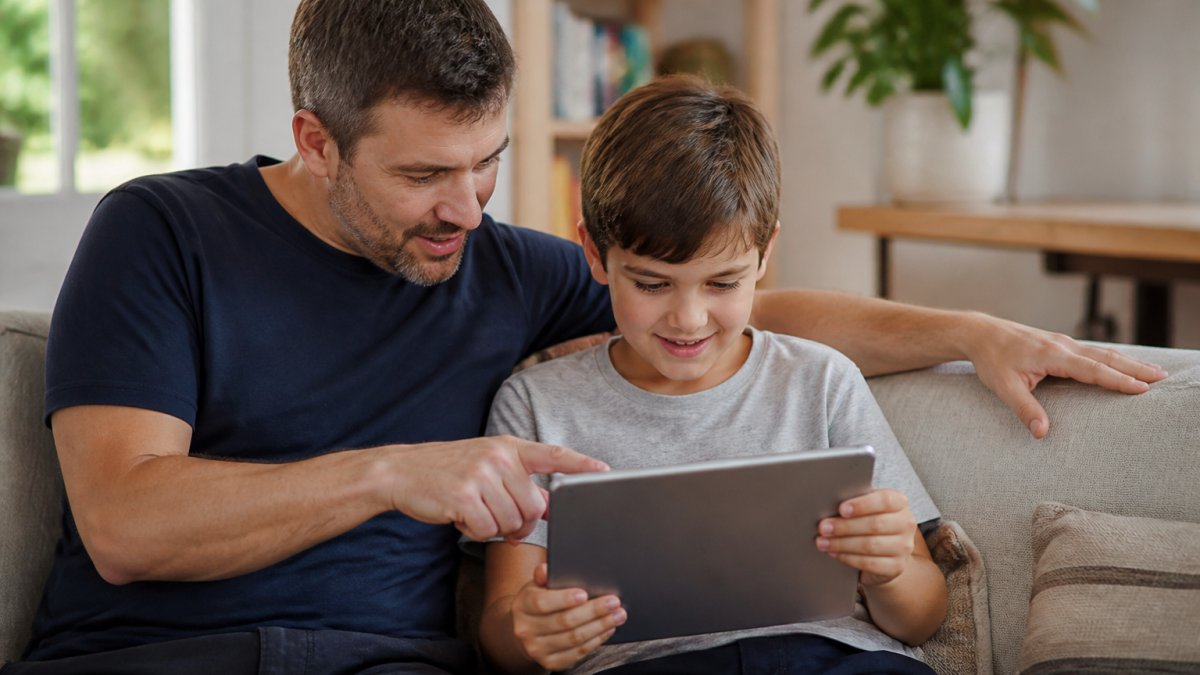
Start by understanding your child's age and what they actually watch.
Next, choose your tools intentionally:
- For young children: Use YouTube Kids or a parent-curated platform like Watchly Player
- For older children: Set up supervised accounts with screen-time limits
- For all children: Establish co-viewing time where you watch together and discuss what you see
- For family-wide safety: Use device-level parental controls alongside platform-level controls
Finally, have explicit conversations about what makes content safe or unsafe.
Watchly Player removes the burden of constant monitoring. It analyzes video transcripts, enforces screen-time limits automatically, and lets you approve content in advance.
The goal isn't to eliminate YouTube from your child's life. It's to eliminate the uncontrolled parts.
The reality is this: Uncontrolled YouTube remains a genuine threat to children's safety and wellbeing. YouTube Premium doesn't solve that problem. But you can.
Frequently Asked Questions
Does YouTube Premium actually make YouTube safe for kids?
YouTube Premium removes ads and offers some parental controls, but it does not filter inappropriate content. A systematic review published in Applied Sciences (2023) found that YouTube contains videos with illegal material, violence, gambling, and horror content that can slip past standard controls. Premium's supervised accounts add time limits and search restrictions, but children can still encounter unsafe videos. For true safety, parents need additional tools that analyze video content directly.
What is the difference between YouTube Premium and YouTube Kids?
YouTube Premium is the standard platform with ad removal and offline viewing, while YouTube Kids is a separate app designed specifically for children with age-based content filtering and parental controls built in. YouTube Kids uses content moderation and age-appropriate settings, though Common Sense Media notes that children may still encounter nudity, violence, or unusual content. YouTube Premium does not replace YouTube Kids' filtering, it simply removes ads from the regular YouTube experience.
Can I block specific videos on YouTube for kids?
YouTube's standard parental controls allow you to restrict search results and limit access to some content, but you cannot manually approve individual videos before your child watches them. YouTube Kids offers channel approval and content filtering, but gaps remain. For granular control where you personally curate and approve every video, you need a dedicated platform that analyzes video transcripts and safety themes before allowing playback.
What are the best safe YouTube alternatives for children?
Alternatives include YouTube Kids (Google's filtered app), which offers age-based content settings and parental controls. However, research shows hundreds of papers document uncontrolled YouTube as a threat to children, with risks including algorithmic rabbit holes and inappropriate recommendations. Dedicated platforms that analyze video content against safety themes and eliminate ads, comments, and recommendation algorithms provide stronger protection. These alternatives let parents expose only the best of YouTube while blocking unsafe material entirely.