Last Updated: October 23, 2026
Quick Summary
The best practices for managing kids social media privacy combine open conversation, a settings audit each term, and software that enforces the rules. Set profiles to private, disable location services and ad personalisation, restrict messaging to friends, and review app permissions at device level.
- Run a privacy settings checklist whenever a child joins a platform and again each school term.
- Set social apps to Never or While Using location access and switch off Precise Location.
- Turn off ad personalisation and interest-based ads, then pause history collection rather than only deleting it.
- Teach the screenshot test and the address rule so children never post school, street or live location.
- Watchly Player analyses video transcripts against 21 safety themes and removes ads, comments and recommendation algorithms.
Table of Contents
- Why Kids Social Media Privacy Matters More Than Ever
- Start With Open Communication and Trust
- The Social Media Privacy Settings Checklist Every Parent Needs
- Teaching Kids About Digital Footprints and Online Reputation
- Choosing Parental Control Software for Social Media
- Safe YouTube Alternatives for Kids and Managing Screen Time
- Handling Cyberbullying, Oversharing, and Data Privacy
- Conclusion: Building a Privacy-First Digital Home
- Frequently Asked Questions
Why Kids Social Media Privacy Matters More Than Ever
Kids social media privacy has become the defining parenting challenge of 2026. At Watchly Player, we hear the same worry from parents every week: the platform knows more about their child than they do. That is not paranoia. Algorithmic feeds, location tagging and granular app permissions mean a single account can log a child's interests, friendships, movements and mood long before they understand why that matters.
Uncontrolled platforms are a threat to children, and there are hundreds of research papers documenting the harms. The good news is that privacy is largely configurable.
Start With Open Communication and Trust
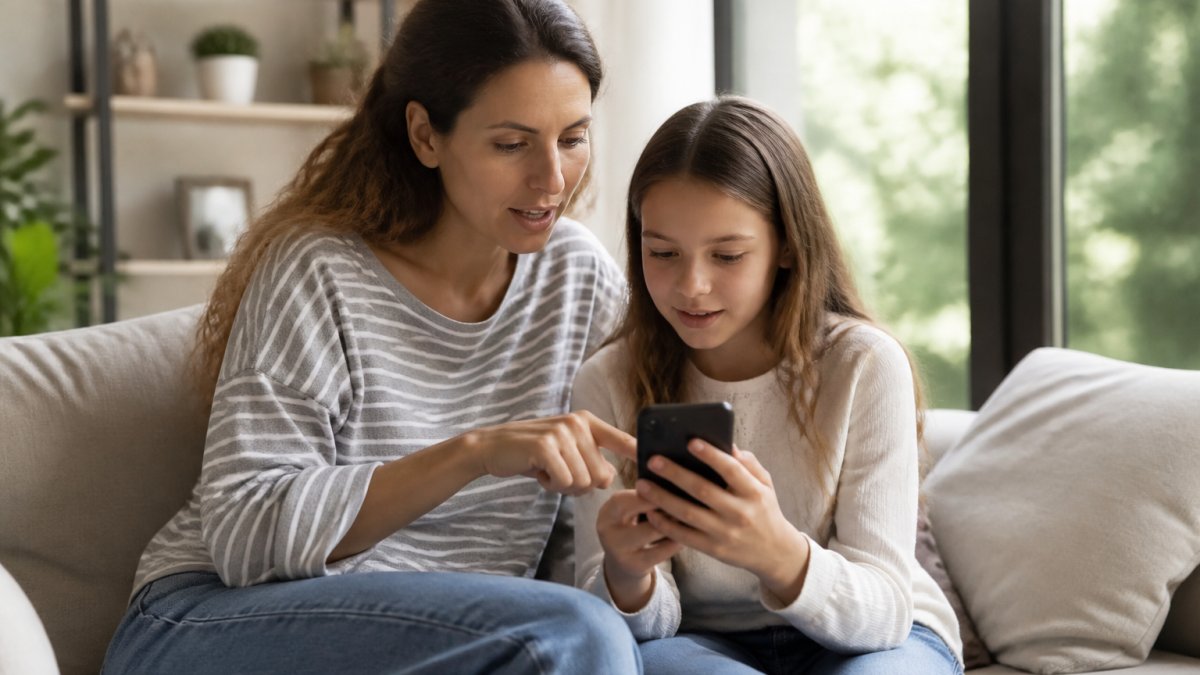
The most effective privacy control is a child who tells you when something feels wrong. Start there, before you touch a single setting.
A common mistake is treating privacy as surveillance. Kids spot that fast, and they route around it.
The Social Media Privacy Settings Checklist Every Parent Needs
A social media privacy settings checklist turns a vague worry into a repeatable audit. Run it whenever a child joins a platform and again each school term. The difference between a checklist that works and one that gets abandoned is specificity: know exactly which screen you are opening, on which device, and what the setting actually controls.
Work through these in order:
- Set the profile to private and confirm that only approved followers can see posts.
- Disable location services and strip geo-tagging from every app.
- Turn off ad personalisation and interest-based tracking in the platform's data settings.
- Restrict direct messaging to friends only, or turn it off entirely for younger children.
- Review tagged photos and enable manual approval before tags appear.
- Enable two-factor authentication on the account.
- Check connected third-party apps and revoke anything unfamiliar.
Account Visibility and Friend Requests
Private profiles are the baseline, not the finish line. Friend requests deserve the same scrutiny as a stranger at the front door. Sit with your child and review requests together: do they know this person offline, and can they explain how? Unknown accounts with no mutual connections get declined, every time. On most platforms you can also cap who can message, tag, mention or find the account by phone number and email, turn each of those to "friends only" rather than leaving the default "everyone."
App Permissions and Location Services
App permissions are where privacy quietly erodes. Many social apps request access to contacts, microphone and precise location by default.
On iOS, open Settings > Privacy & Security.
On Android, open Settings > Privacy > Permission manager and review Location, Microphone, Camera and Contacts app by app.
Turning Off Algorithmic Tracking, Not Just Visibility
Most checklists stop at visibility and never touch the data engine underneath. That is the gap almost every guide leaves open. Platforms build a profile of a child from watch history, dwell time, likes, searches and location check-ins, and that profile drives what they see next and which ads follow them.
For a fuller walkthrough of verifying what a platform actually collects, our guide on how to verify child data privacy covers the verification steps in detail.
Teaching Kids About Digital Footprints and Online Reputation
A digital footprint is the permanent record of everything a child posts, shares or comments online, including data collected passively by the platforms themselves. It follows them into school applications, jobs and relationships.
What most guides miss is that the footprint is not only what a child chooses to post. Likes, watch history and location check-ins all feed an online reputation built by algorithms as much as by the child.
Scripts for Teaching Permanence Without Lecturing
Abstract warnings ("be careful online") do not change behaviour. Concrete scripts do. Try these, adapted to your child's age:
- The screenshot test: "Before you send it, imagine it forwarded to the whole school and your grandparents. If that feels bad, don't send it."
- The future-self test: "Would you be comfortable if a coach or a future employer saw this in five years?"
- The address rule: "We never type our school name, street, uniform or live location, not even in a private chat, because private chats get shared."
- The pause habit: "If a message makes you feel rushed, angry or excited, wait ten minutes before replying."
Pair each script with a real example the child can relate to, a story from the news, a friend's experience, or a hypothetical, so the rule attaches to a situation rather than floating as a slogan.
Oversharing and the Details That Identify a Child
Oversharing is the quieter risk, and it is the one most guides under-cover. Children post school names, uniforms, routines, sports schedules and birthday photos that identify them to strangers, and social engineering attacks exploit exactly that detail. A stranger who knows a child's school, team and usual pickup time does not need to hack anything. Teach children to treat the following as never-post information: full name plus school, home address or street, live location, daily routine, and photos that show a house number or licence plate.
The Passive Footprint: What Platforms Collect Without Asking
The part of the footprint a child never sees is the part platforms collect automatically: device identifiers, approximate location, app usage patterns and interaction data. This is where the reputation is built by algorithms rather than by the child, and it is why privacy settings and ad-tracking controls matter as much as posting habits.
When a child wants to watch a video someone sent them, check it first with a YouTube video safety checker before it reaches their screen.
Choosing Parental Control Software for Social Media
Parental control software for social media works best when it enforces rules automatically rather than relying on daily negotiation. The right tool depends on your child's age and the platforms they use.
Before installing anything, read the app's privacy policy critically. Our guide on how to verify privacy policies shows how to spot red flags, and if you are ready to compare options, this breakdown of parental control software for families covers features and pricing.
| Approach | Best For | What It Handles | Limitation |
|---|---|---|---|
| Built-in platform settings | All ages | Visibility, DMs, tagging | Child can often reverse them |
| Device-level controls | Younger children | Screen time, app installs | One device at a time |
| Dedicated parental control software | Families with multiple kids | Cross-device rules, filtering | Requires setup and review |
| Curated viewing platforms | Video-heavy households | Content and time limits | Narrower content scope |
This is where Watchly Player fits for families whose main battleground is video. It analyses video transcripts against 21 safety themes, removes ads, comments and recommendation algorithms, and enforces daily watch time and bedtime windows automatically, with individual profiles for each child.
Safe YouTube Alternatives for Kids and Managing Screen Time
Safe YouTube alternatives for kids solve a narrower problem than social media, but an urgent one. Uncontrolled YouTube remains a genuine threat to children: autoplay rabbit holes, unvetted comments and algorithm-driven escalation are well documented across hundreds of research papers.
Screen time management works when limits are predictable and enforced by the system, not renegotiated nightly. Set daily limits and bedtime windows once, then let the software hold the line.
Handling Cyberbullying, Oversharing, and Data Privacy
Cyberbullying rarely arrives as a single cruel message. It builds through group chats, exclusion and pile-ons that children often hide. Watch for sudden device secrecy, mood shifts after screen time, or withdrawal from friends.
Oversharing is the quieter risk. Children post school names, uniforms and routines that identify them to strangers, and social engineering attacks exploit exactly that detail.
Data privacy deserves equal attention. Ask platforms what they collect, and check whether they sell or rent it. Tools that never sell user data, like Watchly Player, remove one layer of risk.
Conclusion: Building a Privacy-First Digital Home
Privacy is a household system, not a one-off setup. The families who get this right combine open conversation, a settings audit each term, and software that enforces the rules without a nightly argument.
Watchly Player was built by parents for exactly that job. For the wider roadmap, read our guide to creating a secure digital environment for kids.
Start your free trial with Watchly Player and give your children the best of YouTube, with none of the parts that keep you up at night.
Frequently Asked Questions
What age should a child have social media?
Most platforms require users to be at least 13, but readiness depends on maturity, not just age. Consider whether your child understands privacy settings, can recognize risky requests, and will talk to you about uncomfortable encounters. Many parents start with private, parent-monitored accounts and gradually expand access. Teaching kids about digital footprints early helps them make better choices when they do join.
How can I monitor my child's social media without being intrusive?
Focus on transparency rather than secrecy. Tell your child you will review friend lists and privacy settings together, and explain why. Use parental control software for social media to set device-level limits and content filters instead of reading every message. This approach builds trust while still catching serious risks like contact from strangers or cyberbullying. Revisit the agreement as your child matures.
What are the biggest privacy risks for kids on social media?
The main risks include oversharing personal details, location services revealing where they are, public profiles visible to strangers, and algorithmic feeds pushing age-inappropriate content. Online predators and identity theft are real concerns, especially when kids accept friend requests from people they do not know. A social media privacy settings checklist helps you lock down account visibility and app permissions before problems start.
How do I talk to my child about online privacy?
Start early and keep conversations casual. Ask what they enjoy online and who they talk to, then explain that some information, like addresses or school names, should stay private. Use real examples, such as how a photo can be shared beyond friends. Teaching kids about digital footprints works best when it is ongoing, not a one-time lecture. Praise good choices to reinforce the habit.
Are there tools to help manage my child's digital safety?
Yes. Parental control software for social media can filter content, set screen time limits, and block unknown contacts. For video content, Watchly Player offers a safer alternative to uncontrolled YouTube by using AI to analyze transcripts against 21 safety themes and letting parents approve every video. It also enforces daily watch limits and bedtime windows automatically, which helps working parents stay consistent.
How can I protect my child's data privacy on social platforms?
Review each platform's privacy settings with your child: set profiles to private, disable location services, limit ad tracking, and turn off data sharing with third parties where possible. Use two-factor authentication on accounts. Teach your child not to share personal details in direct messaging. For video platforms, choose services that do not sell user data, and check terms of service for how content and transcripts are handled.
The hardest part of kids social media privacy is consistency: settings drift, children test boundaries, and platforms change defaults without warning. Watchly Player takes the enforcement off your plate, with AI-powered transcript analysis, parent-approved libraries, automatic screen time and bedtime limits, and a firm commitment never to sell or rent your family's data. Get started with Watchly Player and build a digital home where your children can explore safely.