Last Updated: November 17, 2026
Quick Summary
A safe video player for kids lets parents approve every video their child can watch, with no autoplay, recommendations or comments pulling viewers elsewhere. Look for curated libraries, enforced time limits and separate profiles for each child. Test each control yourself before relying on it, and re-check after every app update.
- Only parent-approved videos should be playable in the child's library.
- The player should stop when a video ends, with no autoplay.
- Daily limits, bedtimes and breaks should be enforced automatically.
- Run a safety audit on the device your child actually uses.
- Re-test all settings after every app update or account change.
Table of Contents
- Why Uncontrolled YouTube Is a Risk for Young Children
- What a Safe Video Player for Kids Actually Does
- Best Safe Video App for Kids: How the Main Options Compare
- Parental Controls for Video Apps: What to Check Before You Commit
- Frequently Asked Questions
Every parent has felt the moment: you hand over a tablet for ten minutes, and an hour later your child is deep into a rabbit hole of videos you never chose. YouTube is one of the most useful and most unpredictable media platforms a family can open. Choosing a safe video player for kids means deciding who controls what your child sees. Watchly Player was built by parents to give you that control, so your children can enjoy the best of YouTube while you decide which videos they see.
Why Uncontrolled YouTube Is a Risk for Young Children
Uncontrolled YouTube is a real threat to young children, and the concern is well documented.
The algorithm is designed to keep viewers watching, not to protect them. A child who clicks one cartoon may be shown a dozen increasingly strange videos before anyone notices.
Watchly Player lets you expose your kids to the best of YouTube while removing the recommendation engine, comments and autoplay that create these risks. You can set time limits and build a library you manage, with no automatic next video.
What a Safe Video Player for Kids Actually Does
A safe video player for kids is different from simply watching YouTube with the app on a child's profile. A dedicated player should limit what a child can reach, not just label it as "for kids."
The core functions to look for are:
- Curated libraries: Only videos you select are playable.
- No autoplay or recommendations: The player stops when the video ends.
- No comments or ads from the platform: Distractions and commercial pressure are removed.
- Time controls: Daily limits, bedtimes and break periods are enforced automatically.
- Separate profiles: Each child has their own library and limits.
Watchly Player covers these functions and adds AI-powered transcript analysis against 21 safety themes, so videos are checked before they reach your child's library.
Best Safe Video App for Kids: How the Main Options Compare
Parents comparing video apps usually weigh three things: how much control they get, how the app handles content, and how it fits into the rest of their family's devices. But before you compare individual apps, it helps to understand that "safe video player" can mean three very different things, and choosing the wrong category is the most common mistake.
The Three Categories of Safe Video Viewing
1. A dedicated video player. This is an app whose only job is to play videos you have approved. It typically has no search bar, no recommendations, no comments, and no autoplay.
2. A streaming service with a kids profile. This is a broad platform that offers a filtered or curated section for children.
3. A locked-down device or parental control suite. This is a tool that restricts what a child can do across the whole device, including which apps can open and which websites can load.
A Decision Framework for Parents
Ask yourself these questions in order:
- Do you want to approve each video, or just set boundaries? If you want to approve each video, you need a dedicated player. If boundaries are enough, a streaming service or a control suite may work.
- Is your child old enough to search and click on their own? If yes, a player with no search bar removes the risk entirely. If your child is a toddler, a curated library still helps but supervision matters more.
- Do you need one tool for every device, or one tool for video? A control suite covers more ground but gives you less control over video specifically. A dedicated player does one job well.
- How much ongoing attention can you give? A curated library needs regular updates. A filtered service needs less attention but gives you less certainty.
Watch out: Many parents buy a control suite expecting it to curate video, then discover it only blocks categories. Test the actual video controls before you commit.
Why Uncontrolled YouTube Remains the Baseline Risk
Whichever category you choose, the underlying threat is the same: uncontrolled YouTube. Hundreds of research papers have examined how autoplay and recommendation algorithms can lead children toward inappropriate content. Comments and ads add further risk. A dedicated player like Watchly Player is designed to remove that engine entirely, so you can expose your kids to the best of YouTube while keeping the rest out.
The three main categories of safe video viewing differ in how much control they give parents and how they handle content.
| Category | Best for | Key difference |
|---|---|---|
| Dedicated video player | Parents who want to approve each video | Only parent-approved videos are playable |
| Streaming service with kids profile | Families wanting volume and convenience | Platform decides the catalogue and suggestions |
| Locked-down device or control suite | Whole-device restrictions across many apps | Video control is one feature among many |
Parental Controls for Video Apps: What to Check Before You Commit
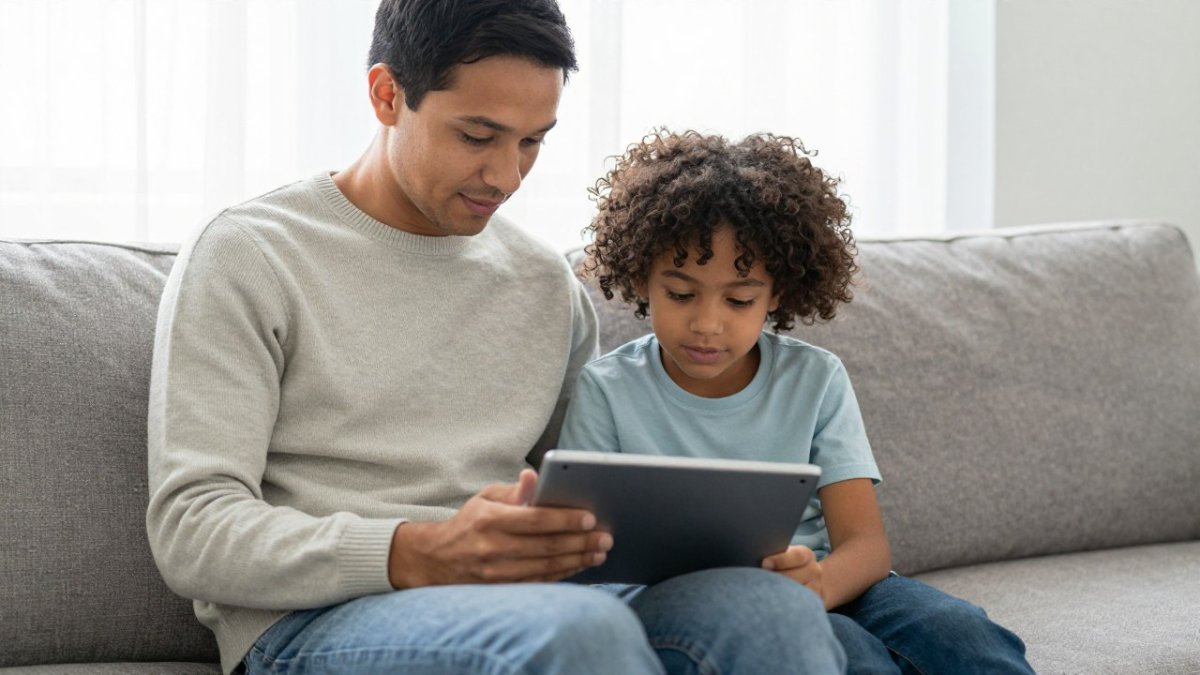
!Parent and young child sitting side by side on a sofa, the parent holding a tablet and reviewing settings together in a bright living room
Frequently Asked Questions
What is the best safe video app for kids?
The best choice depends on what you need to control. Look for an app that limits playback to videos you approve, removes ads, comments and autoplay, and lets you set daily time limits per child. Compare the options against that checklist rather than relying on app store ratings alone. Watchly Player is built around parent-approved libraries, AI transcript screening against 21 safety themes, and automatic bedtime and break enforcement, so it is worth testing during the free trial to see whether it fits your household.
Is YouTube Kids safe for children?
YouTube Kids applies some content filtering, but its recommendation system can still lead children from one video to another. Research on children's media habits has examined links between unsupervised screen use and sleep and attention, which is one reason many parents want tighter control. Reviewing the settings, turning off autoplay, and checking your child's watch history are useful steps whichever app you use.
How do I choose age-appropriate videos for my child?
Start by checking what the platform's age guidance says, then preview a sample of videos yourself before approving a channel. Pay attention to content that uses frightening imagery, adult humour, or advertising aimed at children. Building a short approved list for each child, and reviewing it every few weeks as they grow, is more reliable than trusting automatic age labels alone.
What parental controls should a kids' video player have?
At minimum, look for separate child profiles, the ability to approve each video or channel, removal of comments and recommendations, control over ads, and daily time limits with bedtime windows. Privacy matters as well: check what data is collected, how video content is analysed, and whether the company says it does not sell or rent children's information. Test each control during the trial period before you rely on it.



